
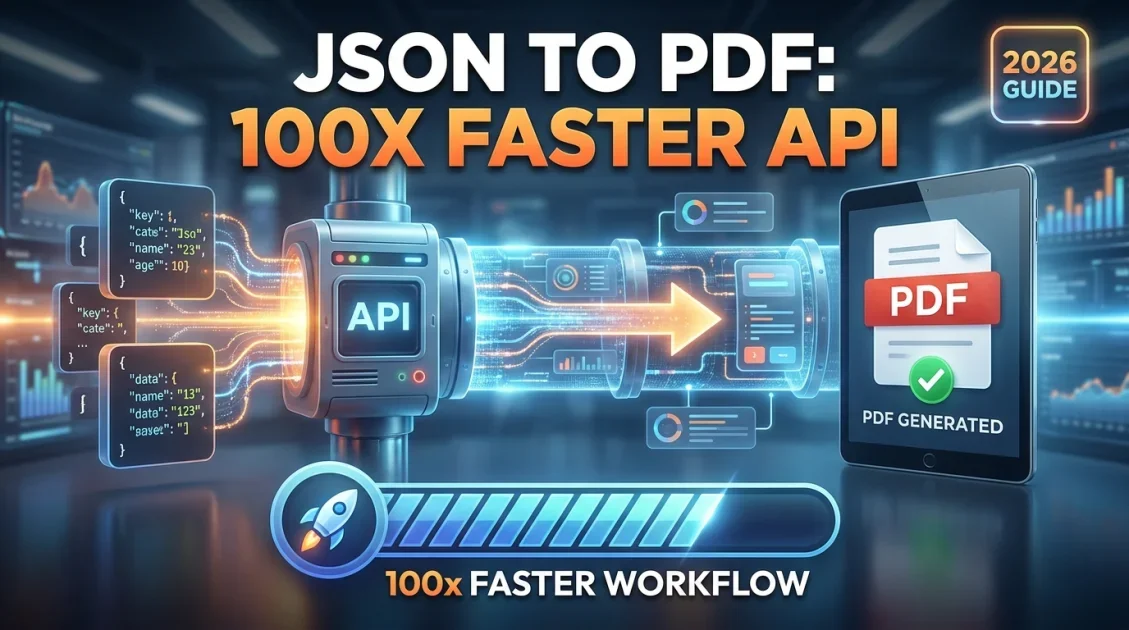
Turning JSON data into a finished PDF is a common problem the moment an app needs to produce invoices, reports, or certificates automatically instead of by hand. A document generation platform solves this by letting you design a template once, then send it structured JSON data through an API to produce a new PDF every time. This guide walks through how the process works and how to generate your first PDF from JSON in a few minutes.
In this article
- How JSON to PDF generation actually works
- Step by step: generating a PDF from JSON
- What to look for in a document generation platform
- Common use cases for JSON to PDF automation
- Handling variable length content with loops and conditions
- Common mistakes when generating PDFs from JSON
- FAQ
How JSON to PDF generation actually works
Most document generation platforms follow the same basic pattern. First, you design a template, either visually or in HTML and CSS, and mark the parts that should change per document with variables, such as a customer name, an order total, or a date. Second, your application sends a JSON payload containing the actual values for those variables to the platform's API, along with the ID of the template to use. Third, the API renders the template with your data and returns a finished PDF, usually as a download URL, within a couple of seconds.
This is different from building PDFs with a low level library inside your own codebase, where you are responsible for laying out every element in code. A document generation platform separates design from data, so a marketer or operations person can update the visual template without touching the code that sends the JSON.
Step by step: generating a PDF from JSON
Here is what the flow looks like in practice, using APITemplate.io as an example of a template based document generation platform.
- Design the template. Use a drag and drop editor or write HTML and CSS directly, and mark dynamic fields with variables such as
{{customer_name}}or{{invoice_total}}. - Save the template and note its ID. The template ID is what you reference in your API call so the platform knows which layout to use.
- Build your JSON payload. This is a simple key and value structure matching the variables in your template, for example customer name, invoice number, line items, and total.
- Call the API. Send a POST request with your API key, template ID, and JSON body. A typical request looks like this:
curl -X POST "https://rest.apitemplate.io/v2/create-pdf?template_id=YOUR_TEMPLATE_ID" \
  -H "X-API-KEY: YOUR_API_KEY" \
  -H "Content-Type: application/json" \
  -d '{
    "customer_name": "Jordan Lee",
    "invoice_number": "INV-1042",
    "invoice_total": "480.00"
}'- Receive the download URL. The API responds with a status and a URL pointing to the generated PDF, which you can store, email, or display in your app.
The same platform typically also accepts raw HTML or a live URL instead of a saved template, and some, including APITemplate.io, can generate PDFs from Markdown content as well, which is useful for turning documentation or notes into a formatted document without building a custom template first.
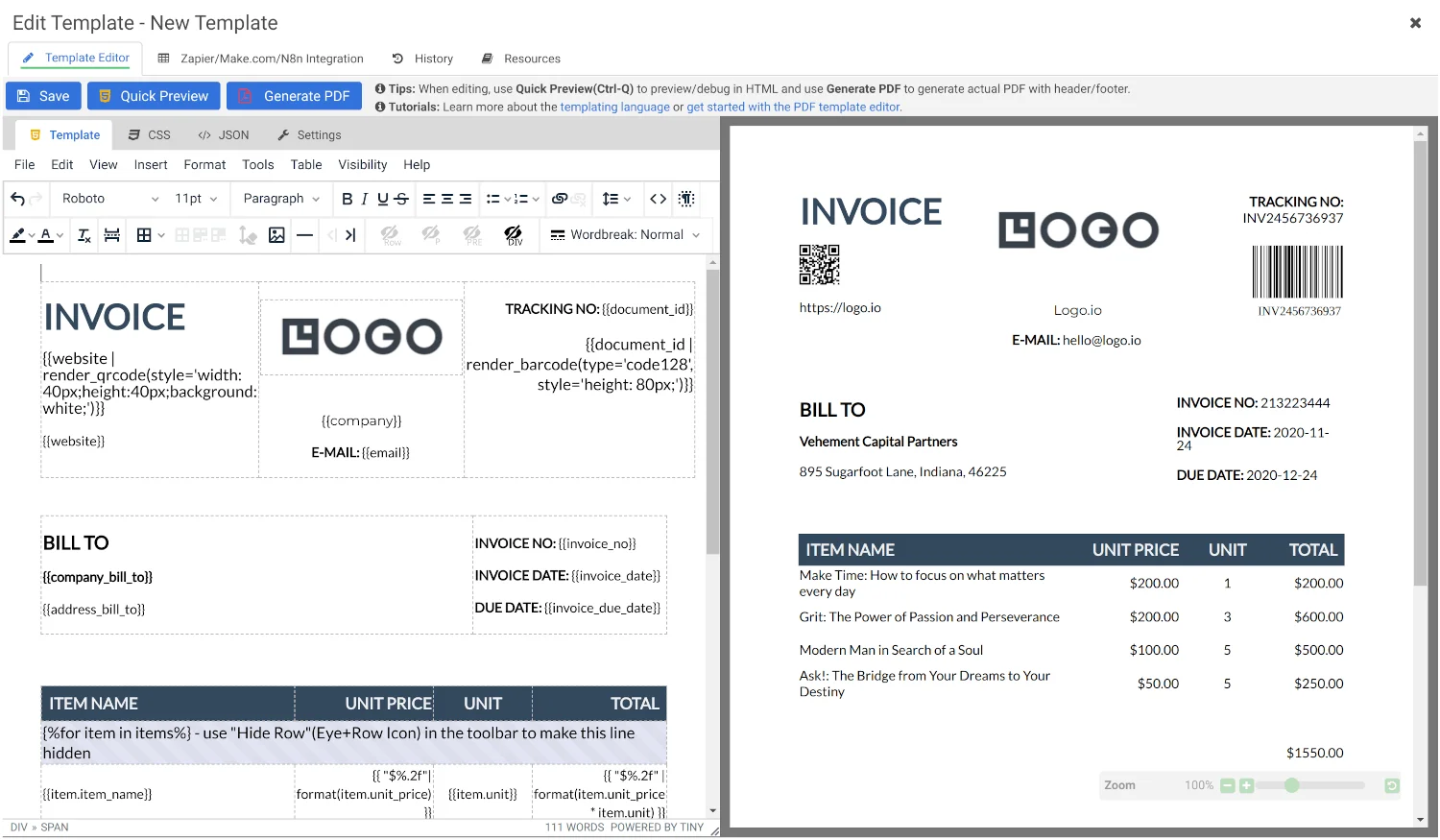
Design a template once, then generate PDFs on demand by passing JSON data through a REST API.
What to look for in a document generation platform
- Multiple input methods. The ability to generate from a saved template, raw HTML, a live URL, or Markdown covers most real world scenarios without switching tools.
- Synchronous and asynchronous generation. Synchronous calls are simplest for single documents; asynchronous generation with webhooks matters once you are producing PDFs in bulk or in batch jobs.
- Template variables and logic. Support for loops and conditional blocks in the template language lets a single template handle variable length content, such as an invoice with a different number of line items each time.
- No code integrations. Native connections to Zapier, Make.com, or n8n let non developers trigger generation from a form submission or spreadsheet row without writing API calls.
- Regional data handling. If you operate under data residency requirements, check whether the platform processes and stores files in a specific region rather than a single global location.
Common use cases for JSON to PDF automation
The pattern of JSON in, PDF out shows up across a wide range of workflows. Order management systems generate invoices the moment a purchase completes. Course platforms generate certificates when a student finishes a module. Reporting tools compile weekly or monthly data into a formatted PDF report without a person opening a design tool. Recruiting platforms generate offer letters and contracts populated with candidate specific details. In each case, the underlying mechanism is the same: a template with variables, and a JSON payload that fills them in.
Handling variable length content with loops and conditions
A simple template with fixed fields works fine for something like a certificate with a name and a date. It breaks down for documents like invoices, where the number of line items changes every time. This is where a template language with loops and conditional logic matters. Instead of hardcoding a fixed number of rows, you write a loop in the template that repeats a row for each item in a JSON array, so an invoice with two line items and an invoice with twenty both render correctly from the same template.
Conditional blocks handle the other common case: content that should only appear sometimes, such as a discount line that only shows when a discount was applied, or a due date section that only appears for unpaid invoices. Getting comfortable with these two features, loops and conditionals, is usually what separates a template that only works for a demo from one that holds up in production across thousands of real documents with different shapes.
Common mistakes when generating PDFs from JSON
- Mismatched variable names. The JSON keys in your payload must exactly match the variable names used in the template. A typo in either place silently produces a blank field rather than an error in some platforms, so it is worth previewing with real sample data before going live.
- Ignoring page breaks. Long, variable length content such as a large table of line items needs explicit page break handling in the template CSS, or rows can get cut awkwardly across pages.
- Skipping the synchronous versus asynchronous decision. Using a synchronous call for a bulk job that generates hundreds of documents at once can lead to timeouts. Asynchronous generation with a webhook callback is built for exactly this case.
- Not testing with edge case data. A template that looks correct with a short customer name or a two item order can break with a very long name or a fifty item order. Test with realistic worst case data, not just the happy path.
- Hardcoding the template ID inconsistently. When a template gets updated or duplicated, its ID can change. Store the template ID as a configuration value rather than hardcoding it in multiple places in your codebase.
Final Verdict
Who should use a JSON to PDF platform like APITemplate.io?
Any team generating more than a handful of similar documents a month, invoices, certificates, reports, or contracts, where the layout stays constant but the data changes. The main benefit over a custom coded solution is that non developers can update the template without a deploy, while developers still get a straightforward REST API to call from existing systems.
Overall Rating: 4.5 / 5
Frequently Asked Questions
What is a document generation platform?
A document generation platform is a service that turns a reusable template and structured data, typically JSON, into a finished document such as a PDF or image, through an API call rather than manual design work.
Do I need to know how to code to generate a PDF from JSON?
Not necessarily. While the API call itself is a developer task, most platforms also offer no code integrations with tools like Zapier or Make.com, so a non developer can trigger PDF generation from a form or spreadsheet without writing code.
Can I generate a PDF from HTML instead of JSON and a template?
Yes. Most document generation APIs, including APITemplate.io, support sending raw HTML directly in addition to using a saved template with JSON variables, so you can choose whichever fits your workflow.
How fast is JSON to PDF generation?
Typical requests complete in about two seconds for common workflows on a template based platform, with asynchronous options available for large batch jobs.
Is there a free way to try JSON to PDF generation?
Yes. APITemplate.io offers a free tier with 50 PDFs or images per month and no credit card required, which is enough to test a full integration before upgrading.
Ready to turn JSON data into finished PDFs?
Start free with APITemplate.io and generate your first PDF from JSON in minutes.
Get Started Free →No credit card required for the free plan.
Comments (0)
Leave a Comment