
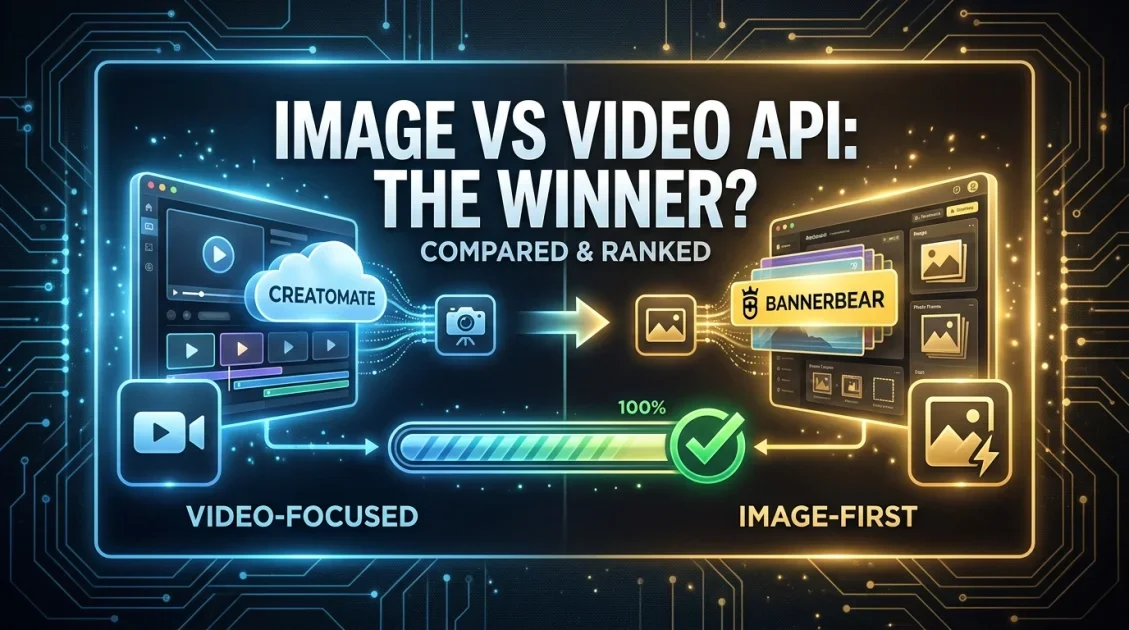
If you are comparing Bannerbear to Creatomate, the honest answer depends on what you are generating. Creatomate is the stronger choice for video-heavy automation, with animations, transitions, masking, and text-to-speech built into its JSON template engine. Bannerbear is the stronger choice if your workflow is mostly images, since it charges a flat 1 credit per image with no resolution math, starting at $49 a month versus Creatomate's $54. Below, we break down where each tool actually wins so you do not overpay for features you will not use.
In this article
- Why compare Bannerbear to Creatomate at all
- Bannerbear vs Creatomate: quick comparison
- Where Creatomate genuinely wins
- Where Bannerbear pulls ahead
- Pricing, without the credit math headache
- Which one fits your workflow
- Is Bannerbear right for your team?
- Final verdict
- FAQ
Why Compare Bannerbear to Creatomate at All?
Both tools sit in the same broad category, API-driven creative automation, but they were built for different jobs. Creatomate started as a video rendering engine and added image support later. Bannerbear started as an image rendering engine and added basic video overlays later. That history still shows up in what each product is best at today, and it is the main reason people search for a Creatomate alternative or a Bannerbear alternative in the first place: they picked one tool for a use case it was not originally designed around.
If you are only rendering product photos, social banners, or OG images, you may be paying for video infrastructure inside Creatomate that you never touch. If you need animated video ads with transitions and voiceovers, Bannerbear simply cannot do that, no matter how you configure it.

Bannerbear vs Creatomate: Quick Comparison
| Factor | Bannerbear | Creatomate |
|---|---|---|
| Starting price | $49/month, 1,000 credits | $54/month, 2,000 credits |
| Image credit cost | 1 credit per image, always | 1 credit per image, always |
| Video credit cost | More than 1 credit, exact rate not published | Varies by resolution and fps, roughly 14 credits/min at 720p |
| Video features | Text and image overlays only | Animations, transitions, masking, blend modes |
| Text-to-speech | Not supported | Supported, billed as extra credits |
| Free trial | 30 credits, no card required | 50 credits, no card required |
| SDKs | Ruby, Node.js, PHP | REST API, JSON-based templates |
| Best for | Image-first automation, simple flat pricing | Video-heavy automation, complex compositions |
Where Does Creatomate Genuinely Win?
To be fair to Creatomate, its video capabilities are simply more advanced. The browser-based editor supports animations, transitions, gradients, blur, blend modes, masking, and free-form shapes, none of which Bannerbear offers. Creatomate also builds in text-to-speech, so you can generate a narrated video in a single API call rather than stitching together a separate voice service. For teams doing programmatic video ads, personalized video messages, or data-driven video content, Creatomate's JSON template system gives you a level of control Bannerbear was never built for.
Bannerbear's own documentation is upfront that videos and PDFs consume more than one credit, but does not publish the exact multiplier, which makes budgeting a video-heavy workflow harder to predict in advance. If video is your primary output, that alone is a reason to look at Creatomate first.
Consider a practical example: a real estate company wants to auto-generate a 30-second listing video with a voiceover reading the property description, a slideshow transition between photos, and a branded intro animation. Creatomate can build that entire sequence in one JSON template and one API call, including the narration. Bannerbear cannot produce the transitions or the voiceover at all, so that specific workflow is not something a flat-rate image tool can substitute for.
Flat 1-credit-per-image pricing, no resolution math to figure out.
Where Does Bannerbear Pull Ahead?
The case for Bannerbear is simplicity and predictability, specifically for image workloads. Every image costs exactly 1 credit, regardless of size or format, so you can calculate your monthly cost before writing a single line of code. Creatomate's image credits work the same way, but the moment your workflow touches video, its credit cost scales with resolution and frame rate, which means two visually similar renders can cost different amounts depending on settings.
Bannerbear also ships official SDKs for Ruby, Node.js, and PHP, plus native integrations with Zapier, Airtable, Make, n8n, and Google Sheets. Its AI-assisted face detection auto-positions photos in personalized banners at no extra cost, a feature aimed squarely at ecommerce and marketing use cases rather than video production.

How Does the Pricing Actually Compare?
At face value, Bannerbear's $49 entry plan is cheaper than Creatomate's $54 Essential plan, though Creatomate includes double the credits at 2,000. For pure image generation, that makes Creatomate roughly the better value per credit. The calculation flips once video enters the picture: Creatomate's video credits scale with resolution, so a batch of Full HD renders eats through your allowance faster than the credit count alone suggests, and TTS narration adds further credits on top.
Bannerbear avoids that complexity by simply not offering advanced video, which is either a limitation or a relief depending on what you need. If your monthly output is 95 percent images and 5 percent simple video overlays, Bannerbear's flat model is easier to plan around.
Predictable monthly cost with no resolution-based credit surprises.
Which One Fits Your Workflow?
An ecommerce brand generating product banners, badges, and OG images from a data feed is a clear fit for Bannerbear. The workload is almost entirely image generation, and the flat credit model keeps costs predictable as volume grows. If that brand runs a feed of 2,000 products through the API monthly to refresh banners, the cost is exactly 2,000 credits, no more, no less, regardless of image dimensions.
A marketing team producing short-form video ads with captions, transitions, and voiceover for TikTok or Reels is a clear fit for Creatomate. Bannerbear's overlay-only video simply cannot deliver that output, regardless of price. Trying to force Bannerbear into that role usually means falling back to a separate video editor anyway, which defeats the purpose of automating the workflow in the first place.
A SaaS product generating both personalized onboarding videos and static social graphics sits in the middle. In that case, some teams run Bannerbear for images and Creatomate for video side by side, rather than forcing one tool to do both jobs poorly. This is not a compromise so much as using each API for the job it was actually designed around. The integration cost of running two APIs is usually smaller than the quality tradeoff of using the wrong one for either job.
Agencies serving multiple clients often land here too. A client that only needs quarterly banner refreshes fits Bannerbear's simpler model, while a client running weekly video ad campaigns justifies Creatomate's higher entry cost and steeper learning curve.
Is Bannerbear the Right Fit for Your Team?
Pros
- Flat 1-credit-per-image pricing with no resolution math
- Lower entry price than Creatomate at $49 versus $54
- Official SDKs for Ruby, Node.js, and PHP
- Built-in face detection for personalized images
- Native integrations with Zapier, Airtable, Make, and n8n
Cons
- No animations, transitions, or masking in video
- No text-to-speech support at all
- Video credit cost is not published upfront
- Fewer creative effects in the template editor than Creatomate
Best for: Teams whose output is mostly images, or simple video overlays, who want predictable flat pricing.
Not ideal for: Teams building animated video content, video ads with transitions, or anything requiring narrated voiceovers.
Final Verdict
Should you choose Bannerbear over Creatomate?
Choose Bannerbear if your workflow is primarily image generation and you want simple, predictable flat pricing without learning a resolution-based credit formula. Choose Creatomate if video is a core part of your output, since its animation, transition, and text-to-speech features are genuinely ahead of what Bannerbear offers today. This is less a case of one tool beating the other outright, and more a case of matching the tool to the majority of what you actually render.
Overall Rating: 4/5 for image-first teams, 2.5/5 for video-first teams
Frequently Asked Questions
Is Bannerbear cheaper than Creatomate?
For pure image generation, Creatomate is better value per credit at $54 for 2,000 credits versus Bannerbear's $49 for 1,000. Bannerbear's entry price is lower in absolute terms, but Creatomate gives you more image credits per dollar at that tier.
Can Bannerbear create animated videos like Creatomate?
No. Bannerbear supports text and image overlays on video, but not animations, transitions, masking, or blend modes. If you need those effects, Creatomate is built for that specifically.
Does Bannerbear support text-to-speech?
No, Bannerbear does not offer text-to-speech. Creatomate supports TTS, though it is billed as additional credits on top of the base render cost.
Can I use both tools together?
Yes, and some teams do. It is common to route image generation through Bannerbear and video generation through Creatomate rather than forcing a single tool to cover both.
Which tool is easier to set up for developers?
Both offer REST APIs and browser-based template editors. Bannerbear additionally ships official SDKs for Ruby, Node.js, and PHP, while Creatomate relies on its JSON-based RenderScript system, which offers more control at the cost of a steeper learning curve.
What if my team needs collaboration features?
Creatomate gates its embeddable Preview SDK and priority support behind the Growth plan, starting around $129 a month, which is aimed at teams rather than solo developers. Bannerbear does not offer a comparable in-browser preview embed at any tier, so if collaborative video review is a requirement, Creatomate's higher tiers are the more complete option.
For more on how Bannerbear compares to other tools, see our full Bannerbear review or our roundup of the best image generation APIs in 2026.
Mostly Generating Images, Not Video?
Try Bannerbear's flat, predictable API pricing with 30 free credits, no credit card required.
Start Free Trial →No credit card required for the free trial.



Comments (0)
Leave a Comment